
Golf Simulator Software for Commercial Venues: What Operators Actually Need
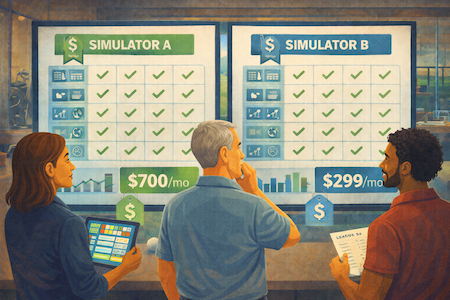
Choosing the right golf simulator software is crucial. It determines graphics realism and data depth. There isn’t one “best” option; it depends on your launch monitor and goals. Commercial facilities, however, have a unique need.
Pairing top-tier simulation software with a powerful management platform, Sports Carnival, is essential for commercial success. This strategy ensures you cover all operational needs, not just gameplay. To get the ultimate experience, you need high-fidelity visuals paired with actionable data from launch monitors. Finding the best golf sim software requires evaluating course count and analytics. The off-course golf market is huge, with 47.2 million participants in 2024, emphasizing the demand for reliable software for indoor golf simulators. The availability and advancement of golf simulators and software have rapidly evolved over the last few years, making it important to review the latest options.
Commercial golf simulator venues face a software decision that home setups don't.
You're not just choosing which virtual courses to play — you're choosing how your entire operation runs. The simulation software (GSPro, E6 Connect, TGC 2019) determines the on-screen experience for your guests. But it doesn't handle reservations, payments, staffing, leagues, or reporting. That's a separate layer entirely — and for commercial operators, it's the layer that determines whether your venue is profitable. This guide covers both: which simulation platforms are worth running in a commercial setting, and what to look for in the management software that powers everything around the game.
Launch Monitors and Software
At the heart of every golf simulator is the launch monitor, a device that captures critical data points such as ball speed, launch angle, spin rate, and club path. Popular launch monitors like the Uneekor EYE MINI Lite, Bushnell Launch Pro, and Trackman Launch Monitor are known for their precision and reliability, making them favorites among both home users and professionals. Paired with powerful golf simulator software—such as FSX Play, GSPro, and E6 Connect—these systems offer a wide range of features, including access to virtual golf courses, detailed swing analysis, and customizable practice modes. The best software options provide realistic ball flight, accurate data, and engaging gameplay, allowing golfers to play, practice, and improve their skills with every session. Whether you’re using a radar-based system or a camera-based launch monitor, the right combination of hardware and software is essential for a top-tier golf simulation experience.
What is the Best Golf Sim Software for Realism and Course Selection?
The main contenders are generally GSPro software, E6 Connect, and TGC 2019. These are the names for core simulation gameplay. Each brings different strengths. Most launch monitors will likely work with one or more third-party software integrations. Starting a commercial business? Sports Carnival is where that excels. We are a powerful operational software. We handle high volumes of bookings and payments.
GSPro software offers cutting-edge graphics with awesome golf visuals. It gives access to a massive and growing library of user-designed golf courses. It is often a highly budget-friendly golf software solution that delivers exceptional ball flight accuracy. E6 Connect is known for its classic course list featuring Pebble Beach and other famous golf courses. It has a polished user interface with detailed club data tracking. It offers a professional simulation experience measuring ball speed, club speed, and launch angle. TGC 2019 stands out for its sheer volume of playable courses and create your own course features. This is thanks to its design-your-own feature. TGC 2019 is compatible with most launch monitors and allows users to play over 100,000 virtual courses. Reading golf sim software reviews shows these three rank consistently for pure gameplay in indoor golf settings.
What Software to Use for Golf Simulators in a Commercial Setting?
For commercial venues, the question changes. Indoor golf bars or multi-sport centers are examples. The focus shifts from "best graphics" to "What software to use for golf simulators that manages the business efficiently?" When learning how to choose golf simulator software for commercial use, operational software becomes critical here.
We, at Sports Carnival, offer an all-in-one, automated software solution. It is designed for entertainment facilities, including indoor golf simulator venues. The simulation golf SIM software runs the game. Our platform runs the business.
Seamless Online Booking: Guests book and pay for bays online easily. This minimizes staff admin work. It is essential for filling your schedule. It prevents no-shows and is the main benefit of golf simulator booking software.
POS System Integration: We provide a Point-of-Sale (POS) system with golf simulator POS integration. It handles rentals, pro-shop sales, and food/beverage purchases. Everything is in one dashboard.
Automated Marketing: Our system automatically sends confirmation texts/emails. It sends reminders and promotional offers. This drives repeat business among indoor golfers. It helps forecast demand and fill empty slots.
Revenue Planning: You can estimate your potential revenue for your commercial venue.
We centralize everything. We replace multiple, disconnected tools. This includes league management, memberships, and digital waivers. A reliable system like ours is vital for business owners. It is as important as the quality of the golf sim software itself.
Check pricing against other booking software systems by using our free calculator tool.
Operational Analytics: Our Competitive Edge
Simulation golf sim software gives player analytics on golf swing metrics, spin rate, club head data, and smash factor. Sports Carnival gives crucial business golf simulator analytics. Our system offers real-time data to operators covering bay utilization, revenue per hour, and customer behavior through multiple data points. This unified dashboard simplifies decision-making. It reduces the need for manual tracking. You get quick answers: When are my peak hours? Which upsell products drive the highest revenue from golfers visiting your venue?
Which Features Should You Look for in Golf Simulator Software?
Are you asking what software to use for golf simulators commercially? When evaluating required golf software features, consider these essentials beyond course graphics:
Real-Time Booking: Essential to avoid double bookings. It manages multiple bays efficiently. Customers can book 24/7 for their golf game sessions.
Integrated POS & Payments: A single system handles rentals, food, beverage, and bay time with golf simulator POS integration. This simplifies end-of-day reconciliation.
Analytics Dashboard: This is a single source of truth. It tracks revenue, peak hours, club path analysis, and upsell success.
Marketing Tools: Automated emails and texts are necessary. Confirmations, reminders, and promotions boost player retention among golfers.
Membership & League Management: Tools keep regulars engaged for their golf tour competitions. They drive recurring revenue. They organize competitions without spreadsheets.
Dynamic Pricing: This ability optimizes rates automatically. It is based on demand, time of day, and availability across your setup.
Some golf simulator software and hardware combinations also offer upgrade options like a Pro Package, which provides additional advanced metrics and features such as face impact location and swing analysis for users seeking more detailed analysis.
Platforms like Sports Carnival combine all these functions as scalable golf simulator software. They significantly reduce overhead. Operators can focus on the customer experience. This saves time on administrative tasks.
How Do Golf Simulator Analytics Help Operators?
The analytics is more than just swing data measuring face angle, club path, or ball flight. The data from Sports Carnival offers critical insights for operators. It details revenue streams, peak times, and customer behavior. Operators use this commercial data to:
Improve Bay Utilization: Identify slow periods. Target them using automated promotions to fill your screen time.
Adjust Dynamic Pricing: Fine-tune rate adjustments. Maximize revenue from high-demand slots in your own home or commercial setup.
Upsell Products Effectively: Pinpoint which add-ons sell best. Optimize their placement at checkout for equipment and party software packages.
Plan Marketing Campaigns: Segment customers based on frequency or spend. Send highly targeted, effective offers to your user base.
Sports Carnival puts all these golf simulator analytics in one dashboard. This simplifies complex decision-making. It eliminates hours of manual data aggregation. This saves time and reduces human error across your entire operation.
What Are the Top Benefits of the Best Golf Sim Software?
Choosing the best golf simulator platform drives fun and experience but your booking system will deliver measurable results. This means using a system like Sports Carnival. This is reflected in many golf sim software reviews:
Reduced No-Shows: Automated reminders (email and text) keep bookings on track. This frees up lost bay time and maximizes your driving range alternative revenue.
Increased Revenue: Dynamic pricing and automated upsells boost average order value consistently for every golf ball hit.
Time Savings: Using one platform for all tasks cuts administrative hours up to 50%. This includes bookings, payments, and reports.
Scalable for Franchises: Centralized reporting and control ensure consistency. It simplifies management across multiple locations with scalable golf simulator software.
Better Player Experience: Quick online booking and mobile payments are seamless. Structured loyalty programs create happier customers who play more golf games.
How to Decide Which Golf Sim Software Fits Your Venue?
When comparing options and learning how to choose golf simulator software, ask critical operational questions. Focus on what software to use for golf simulators:
How many bays and locations must I manage now? What about in five years?
Do I need integrated payments and POS? Must they work with my preferred processor (Stripe/Square)?
Will I use the analytics dashboard? Will it actively optimize revenue and pricing?
Can the software automate my marketing, memberships, and league management? This reduces staff load.
Is the platform built to scale easily as scalable golf simulator software? It should grow without a complete system overhaul.
Sports Carnival answers all these questions with the required golf software features. It is one comprehensive system for technology-driven venues. Operators easily compare our flexible plans. They select the right fit. They are confident that their operational tools work hard for online success and community building.
FAQ
1. What is the best golf simulator software for a commercial venue?
For pure simulation gameplay, the top options are GSPro, E6 Connect, and TGC 2019 — each with different strengths in course libraries, launch monitor compatibility, and graphics. For running the business around that gameplay, Sports Carnival handles bookings, POS, memberships, leagues, and analytics in one platform. The two work together, not against each other.
2. Do I need separate software to manage bookings and payments?
Yes — and that's the most common mistake new operators make. Simulation software like GSPro or E6 Connect runs the game. It doesn't manage reservations, collect deposits, send reminders, or process walk-in sales. Sports Carnival fills that gap entirely.
3. Does Sports Carnival integrate with Stripe or Square?
Yes. Sports Carnival connects directly with both Stripe and Square so you can use the payment processor you already trust. Fast payouts, transparent reporting, no extra hardware required.
4. Can I sell add-ons or upgrades during checkout?
Absolutely. You can offer club rentals, lessons, drinks, memberships, or extra bay time directly from your online booking flow or POS. Every sale syncs instantly to your dashboard and revenue reports.
5. Does Sports Carnival support dynamic pricing?
Yes. You can set hourly or day-based rates, adjust for peak times automatically, and assign simulators by bay type. Dynamic pricing keeps your schedule full and revenue optimized without manual intervention.
6. Can I run leagues and tournaments through Sports Carnival?
Yes — leagues, tournaments, and recurring memberships are built into the core platform. Real-time standings, player tracking, automated billing, and bracket management are all included. No spreadsheets.
7. Does Sports Carnival support multi-location or franchise operations?
Yes. Franchise mode gives you centralized control over pricing, promotions, and reporting across all locations while giving individual managers local flexibility. It's built for operators planning to scale.
8. How long does setup take?
Our team handles your simulator configuration, pricing, taxes, and payment connections. Most venues are live and taking bookings the same day.
9. Can Sports Carnival help us migrate from another platform?
Yes. We help operators migrate from GolfManager, ActiveBooker, IndoorGolfBooker, and others. We organize your services, import data where possible, and ensure a no-downtime transition.
Want to Maximize Your Golf Simulator Business?
The right golf simulation software offers a fantastic customer experience. But for owners, the best golf sim software streamlines the business. It boosts your profits through smart technology.
Final Thoughts
Choosing the best golf sim software is crucial for both enhancing customer satisfaction and optimizing your business operations. Consider your unique needs, such as ease of use, integration options, and scalability, to ensure you select the right solution for your golf simulator business.
At Sports Carnival, we provide all-in-one management tools. This ranges from simple online booking to a full Point of Sale system. This ensures your golf simulator business runs smoothly. It keeps it profitable. Do not let business operations slow down your growth.
Ready to see how we can help you? We can fill your tee sheets and increase revenue.
Learn about Sports Carnival’s all-in-one Golf Simulator Booking Software!
Continue Reading
Articles you might be interested in